Kivy Studio – Expo Go for Kivy/Python Android Development
Kivy Studio lets you build and test full Android apps with pure Python + Kivy and see changes live on your phone – no Android Studio, no APK rebuilds, no waiting. It feels like Expo Go, but for the Python ecosystem.
- ✓Real-time preview – edit code on desktop, see it instantly on Android.
- ✓No heavy IDEs – skip Android Studio, Gradle configs, and long build times.
- ✓Perfect for learning – students, teachers, and Python beginners.
- ✓AI/ML ready – TensorFlow Lite, OpenCV, and more baked in.
Tech stack: Python, Kivy 2.3.1, KivyMD, TensorFlow Lite, OpenCV, SQLAlchemy, Watchdog, Pyjnius, Camera4Kivy, and a custom Windows bridge app (KivyStudioBridge).
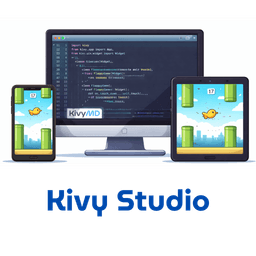
Live Python & Kivy on Android
Save your code on desktop and watch it reload instantly on your Android phone. No manual builds. No cables. Just pure Python creativity.
What Is Kivy Studio?
Kivy Studio is a lightweight, real-time Android development environment for Python developers. It mirrors the development experience of Expo Go, but instead of React Native it uses Kivy and KivyMD. You code on your Windows machine, and Kivy Studio instantly executes that code on your Android device over the network.
There is no Android Studio, no Java/Kotlin, and no NDK setup required. You focus purely on Python and UI design, while Kivy Studio handles the packaging, permissions, and live reload pipeline in the background.
Real-time Dev Experience
- • Live code reloading with file watching
- • Instant feedback loop on Android devices
- • Integrated log viewer and error tracking
- • Optimized for low CPU and memory usage
Built for Learning & Teaching
- • Preloaded example apps (games, utilities, tools)
- • Simple project structure and clear conventions
- • Great for classrooms, coding bootcamps, and self-study
- • Works offline for most development scenarios
AI, ML & Computer Vision Ready
- • TensorFlow Lite and tflite_runtime pre-integrated
- • OpenCV and Camera4Kivy for computer-vision projects
- • NumPy, Pillow, Requests, SQLAlchemy and more included
- • Perfect for on-device inference and ML prototypes
How the Kivy Studio Workflow Feels in Practice
Kivy Studio is designed to feel fast, predictable, and repeatable. You write code once, and the same project structure works on every Android device you test on.
- 1. InstallInstall the Kivy Studio Android app (APK) and grant storage + network permissions. On desktop, set up the KivyStudioBridge companion app.
- 2. Create a ProjectCreate or open a project on your Android device. Your project looks like a standard Kivy app:
main.py, optionalapp.kv,requirements.txt, and anassets/folder. - 3. Connect BridgeOpen the same folder on Windows using KivyStudioBridge. Edit files in VS Code, PyCharm, or any editor. The bridge automatically syncs changes to the device.
- 4. Code & ReloadEvery time you save, Kivy Studio reloads the app in place. You can tweak UI, animations, ML models, and APIs and see results immediately.
- 5. Prepare for ProductionWhen the app is ready, build a full production APK using Buildozer directly from your Python project, with the same codebase you prototyped in Kivy Studio.
Example: Your First Kivy Studio App
A minimal app can be as simple as a single file main.py with a single button:
from kivy.app import App
from kivy.uix.button import Button
from kivy.uix.boxlayout import BoxLayout


class MyApp(App):
    def build(self):
        layout = BoxLayout(orientation="vertical")
        btn = Button(text="Hello Kivy Studio!")
        layout.add_widget(btn)
        return layout


if __name__ == "__main__":
    MyApp().run()
Save the file on desktop, and your Android phone instantly shows the updated UI through Kivy Studio.
Built-in Example Projects to Jump-Start Learning
Kivy Studio ships with ready-made projects so you can learn by reading and modifying full, working apps instead of starting from a blank screen.
Calculator, Clock & Drawing App
UI-heavy sample apps that demonstrate Kivy layouts, widgets, and styling. Great for beginners to explore Kivy's component system and event handling.
- • Learn grid layouts, input handling, and basic animations
- • Understand how to structure screens and navigation
- • Experiment safely without breaking your main project
FlappyBird & 2048 Game Clones
Game-focused examples that show off sprites, collision detection, and smooth animations using Kivy's rendering pipeline.
- • Explore physics-lite interactions and scoring systems
- • Perfect for students building their first mobile games in Python
- • Adapt and reskin for your own portfolio projects
Ready to Build Android Apps with Just Python and Kivy?
Download Kivy Studio, connect your Android device, and start turning Python scripts into real mobile apps in minutes. No complex toolchains, no heavy IDEs – just code and instant results.